KIVI A Java desktop board game combining dice-driven probability with grid-based strategy.
Multiplayer support, AI opponents with distinct difficulty behaviors, a Color Vision Deficiency accessibility mode, and a persistent save/load system, all built solo, from architecture to interface.
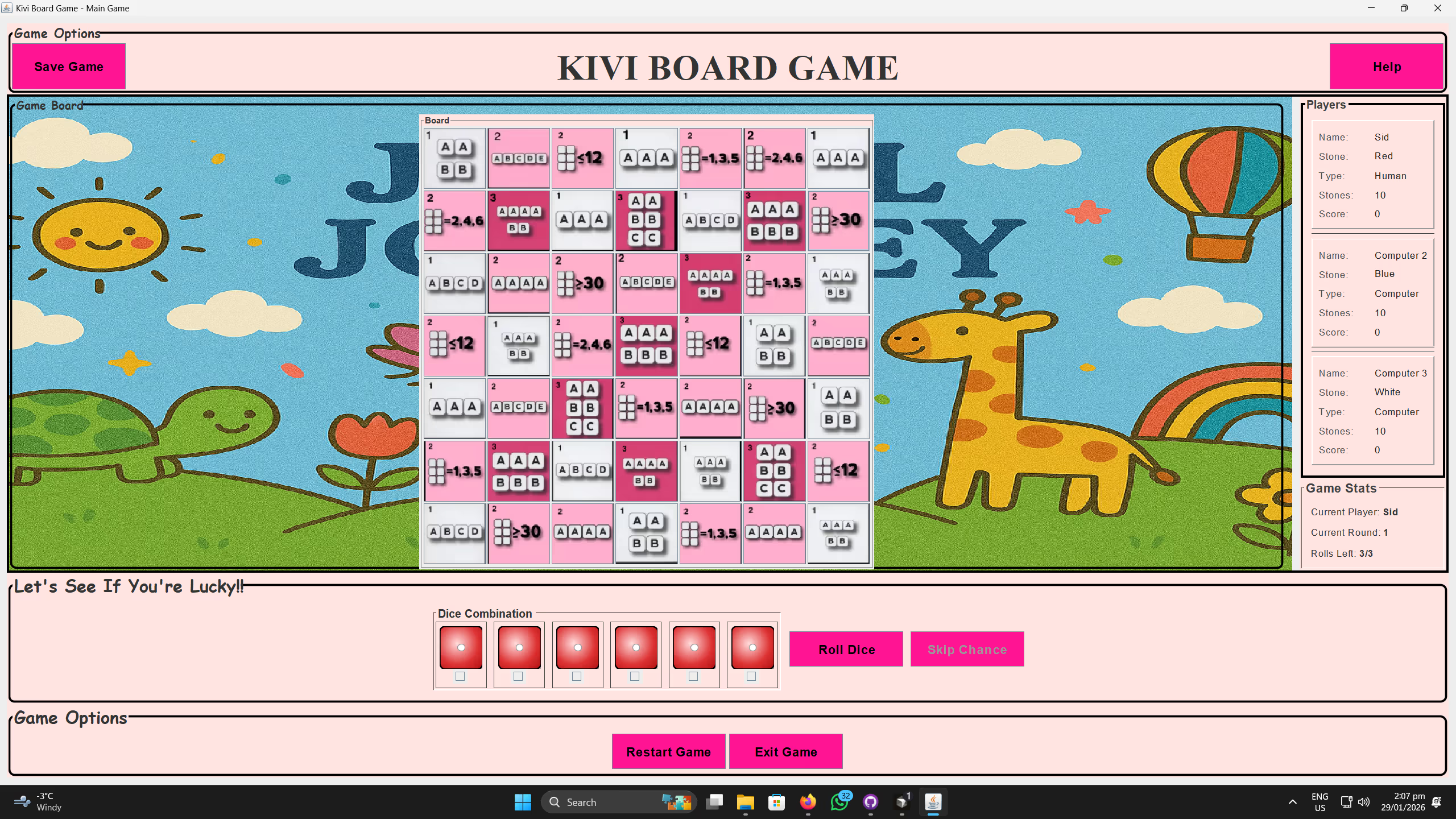
Kivi Board Game - Gameplay
A tabletop classic, rebuilt in code
Kivi Board Game is a desktop-based multiplayer strategy game built with Java and Swing, designed to recreate the feel of a tabletop board game in a fully digital format. It combines the luck of six-dice rolling with tactical stone placement on a 7×7 board, forcing players to adapt their strategy around constrained pattern-based cells and a custom scoring system. I built it to explore object-oriented game architecture, event-driven UI development, board-state logic, and AI decision-making inside a desktop application.
Unlike a simple turn-based game, Kivi balances randomness and planning: players reroll dice to pursue specific combinations, then compete to capture valuable spaces before opponents do. I also wanted the project to be usable by a wider audience, so I included accessibility-focused design choices such as a Color Vision Deficiency mode and customizable board themes: a combination of gameplay logic, UI interaction, and user-centered features that made it a strong engineering-focused portfolio piece.
Built solo, end to end
I developed the entire game as a solo project: gameplay systems, interface logic, AI behavior, save/load flow, and the presentation layer.
- Designed the full game loop, turn system, and scoring model.
- Built the desktop interface in Java Swing.
- Implemented the 7×7 grid logic and dice-pattern validation system.
- Developed computer-controlled opponents with multiple difficulty levels.
- Added save/load functionality using Java Serialization.
- Built accessibility features including a Color Vision Deficiency mode.
- Implemented responsive UI behavior such as image/icon rescaling.
- Managed application state transitions between menu, setup, and gameplay screens.
What the game does
Players compete on a 7×7 board by rolling six dice and using the resulting pattern to claim valid grid cells. Each turn allows up to three rolls, with the option to hold selected dice between rerolls, a mix of luck management and strategic planning. Cells on the board are tied to specific dice requirements such as straights, parity rules, multiples, and score thresholds, so players must optimize their decisions based on probability and board position.
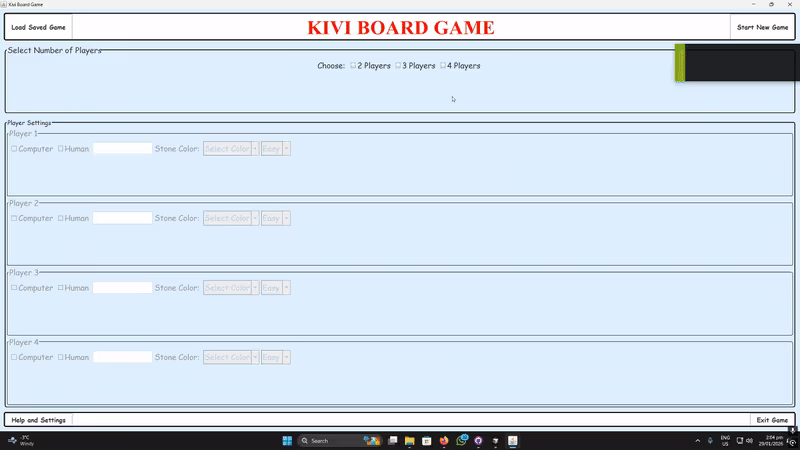
The game supports 2 to 4 players in any combination of human and AI opponents, making it flexible for both solo and local multiplayer sessions. The match ends after a fixed number of rounds or when stones are depleted, and the winner is determined by total points earned from claimed cells.
Stack & concepts
Languages & Frameworks
Core Systems
Concepts Demonstrated
Under the board
Game flow, board evaluation, and user interaction are split across dedicated modules rather than one monolithic class, a structure that made room for AI turns, save/load, and visual themes as the project grew.
MainMenu / MainGameWindow
Control navigation between startup flow, player setup, and active gameplay.
GameManager
Tracks round state, turn order, player scores, stone counts, and progression between turns.
GameGrid / Board
Represents the 7×7 board and validates whether a dice result satisfies a target cell’s rule.
DicePanel
Handles random dice generation, hold states, reroll actions, and roll limits.
ComputerAI
Evaluates valid moves and chooses actions based on difficulty mode without blocking the main UI thread.
This separation of game rules, UI flow, and control logic kept the project readable and scalable as features grew.
Built for a full game night
Flexible multiplayer & AI modes
- Supports 2 to 4 players in any combination of human and AI participants.
- Easy mode uses simpler, randomized decisions with fewer rerolls.
- Hard mode uses a greedy evaluation strategy to find higher-value moves.
Accessibility mode
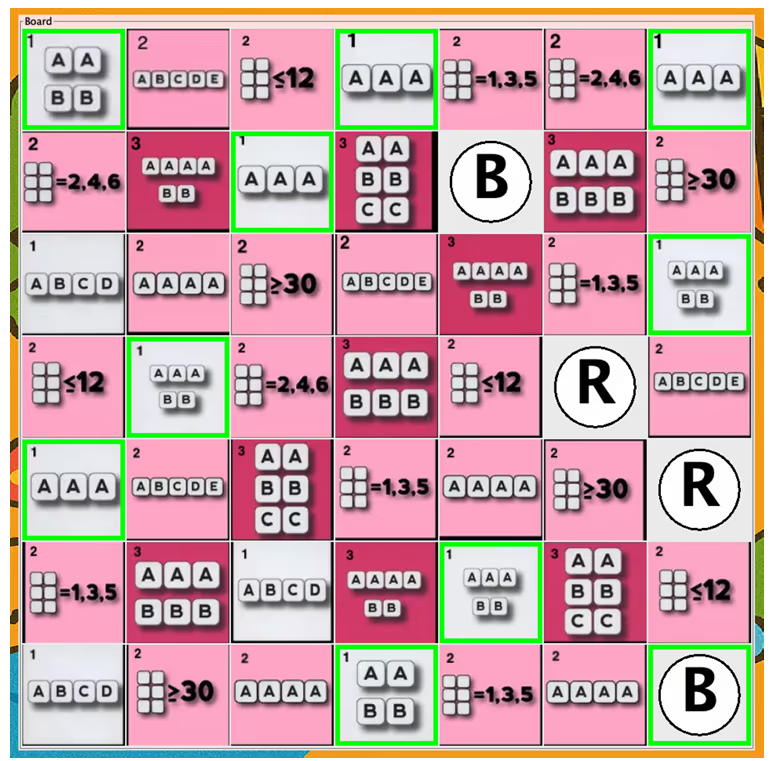
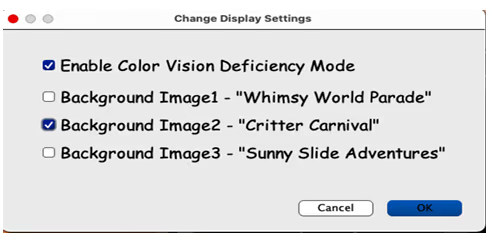
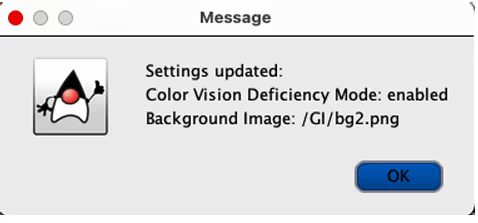
- Color Vision Deficiency mode replaces color-based identification with lettered icons.
- Makes the game usable for players who struggle with color-only feedback.
Save and load
- Uses Java Serialization to persist game state locally.
- Lets a player resume progress later without restarting a match.
Every cell has a price
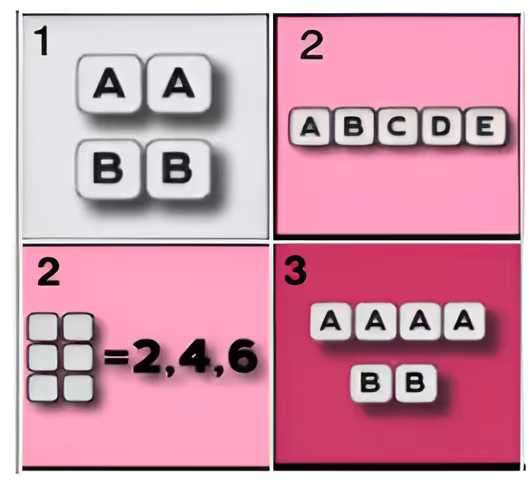
Each turn begins with six dice. The player can hold selected dice and reroll the rest up to three times to satisfy a cell’s condition: probability management and tactical decision-making, every turn.
Straight sequences
e.g. 1-2-3-4-5.
Multiples
Three/Four of a Kind, Two Pairs.
Parity
All even, or all odd.
Sum thresholds
Total ≤ 12, or total ≥ 30.

Four engineering challenges
The parts of the build that required the most deliberate design decisions.
Complex pattern validation
Supporting many dice rule categories (straights, parity, repeated-value patterns, sum thresholds) from the same six-dice input, all evaluated consistently.
Approach
- Built board-cell validation logic comparing a roll against multiple rule types.
- Structured checks so each condition type evaluates consistently.
- Used array-based comparisons and rule-specific validation functions.
AI decisions without freezing the UI
Swing runs on an Event Dispatch Thread model, so long-running AI evaluation on the wrong thread could freeze the whole interface.
Approach
- Ran AI decision-making on a separate background thread.
- Used
SwingUtilities.invokeLater()to update the UI from the correct context. - Added small delays to simulate “thinking time” while staying responsive.
Save / load state persistence
Reconstructing the board, players, scores, round data, and turn flow correctly after a reload required preserving the right slice of state.
Approach
- Used
ObjectOutputStream/ObjectInputStreamfor serialization. - Saved core game objects and restored them into the active flow.
- Structured state so a restored session stayed valid and playable.
Accessibility beyond color alone
Board and strategy games often over-rely on color to communicate ownership or state, a barrier for colorblind players.
Approach
- Added a user-toggleable CVD mode.
- Replaced color-only indicators with clearly labeled letter icons.
- Preserved gameplay clarity while keeping the board readable.
Why it’s built this way
One of the core design goals was to make chance and strategy feel equally important. Dice introduce uncertainty, but the board layout, reroll system, and scoring map ensure players still have meaningful choices every turn, a balance that helps the game feel more thoughtful than a purely luck-driven dice game.
Another major decision was to keep the game local and desktop-focused rather than adding networking. That let me invest more effort into board logic, AI behavior, accessibility, and interface polish, the right scope for a portfolio piece, since it allowed several complete systems to get finished and refined rather than spreading effort across online infrastructure.
Highlights
The strongest signals of system design, shipping ability, and technical depth in this project.
- Built a complete desktop game in Java using Swing.
- Implemented rule-heavy board validation across many dice pattern types.
- Prevented UI blocking through multithreaded AI execution.
- Implemented persistent save/load using Java Serialization.
- Added accessibility support with a Color Vision Deficiency mode.
- Designed responsive icon scaling for multiple window sizes.
What it demonstrates
Kivi Board Game demonstrates the ability to take a rules-driven concept and turn it into a complete desktop application with gameplay systems, UI flow, AI logic, accessibility features, and persistent state management: architecture, algorithms, interactivity, and user experience all working together in a single project.
Skills demonstrated
Building Kivi reinforced how important architecture becomes as a game grows beyond its core mechanic. Features like AI turns, save/load, and accessibility are much easier to add when game state and responsibilities are already separated into clear components.
I also learned that polish is not only visual. Responsiveness, readability, accessibility, and persistence all contribute to whether a project feels complete, and including those systems made Kivi feel more compelling than a prototype that only demonstrated the basic mechanic.
Want to see it in action?
Source code, a playable desktop build, and a full gameplay demo are available below.